Home Assistant SolarEdge Monitoring

SolarEdge changed their API recently which switched off my my Home Assistant monitoring access. Time to get away from their cloud.
If you have the option of using modbus, this article might not be for you. In my case, I have an older interface that collects information from the inverter via ZigBee and transfers it via the Internet to the SolarEdge cloud. I started to ask myself if I would be able to sniff the network communications to get the data I want for Home Assistant monitoring.
I started a capture on my router, identfied the ports and collected about 30 minutes worth of data. Then I let ChatGPT chew on it for a while. It not only identified some useful unencrypted data, it also pointed me to a fellow who had worked on the same problem before me. His work made mine much easier.
Here’s the link. https://github.com/jbuehl/solaredge
The principle behind the whole system is like that:
Step1: Capture data going from the SolarEdge interface to the SolarEdge cloud. This must be done on a system that is actually privy to the data, most likely a router. I could run tcpdump on mine, so it wasn’t a problem.
Step2: Forward the data to another computer than analyses the captured data, provides useful values and forward it to our HomeAssistant MQTT server.
I have a few small boxes running, so I selected one and within an hour or two, the Mosquitto Mqtt Broker showed new sensors. The process uses a little python script that uses ssh to run the tcpdump remotely on the router, crunches the real time data, and talks MQTT to home assistant. Comment if you want to see the scripts.
All I was interested in was the current power production, but with a little digging I was able to get the production from each and every individual optimizer – a nice benefit.
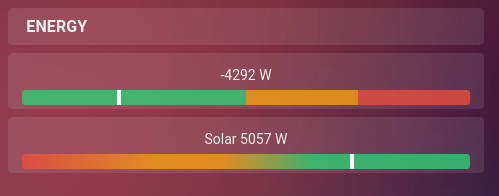
Finally, you need a little helper to be able to add the MQTT sensor data to HA’s energy monitor. Why? Because HA wants accumulated data and our sensors do not provide this. But a simple “Integral” type helper can take care of this. Just set it’s options to “Trapezoidal” with a precision of 3 and it happily starts collecting the data for you.
But there are a few gotchas:
Later devices may have their communications fully encrypted. Bummer. As far as I understand, the original code on github had some support for encrypted protocols, but it was removed. No idea why.
For now, my system is working nicely. And it’s just a small gadget to monitor my very own system without having to rely on a cloud server. But YMMV.
Michaela Merz is an entrepreneur and first generation hacker. Her career started even before the Internet was available. She invented and developed a number of technologies now considered to be standard in modern web-environments. She is a software engineer, a Medical Rescue volunteer, an Advanced Emergency Medical Technician, a FAA Part 61 (PPL , IFR) , Part 107 certified UAS pilot and a licensed ham . More about Michaela ..